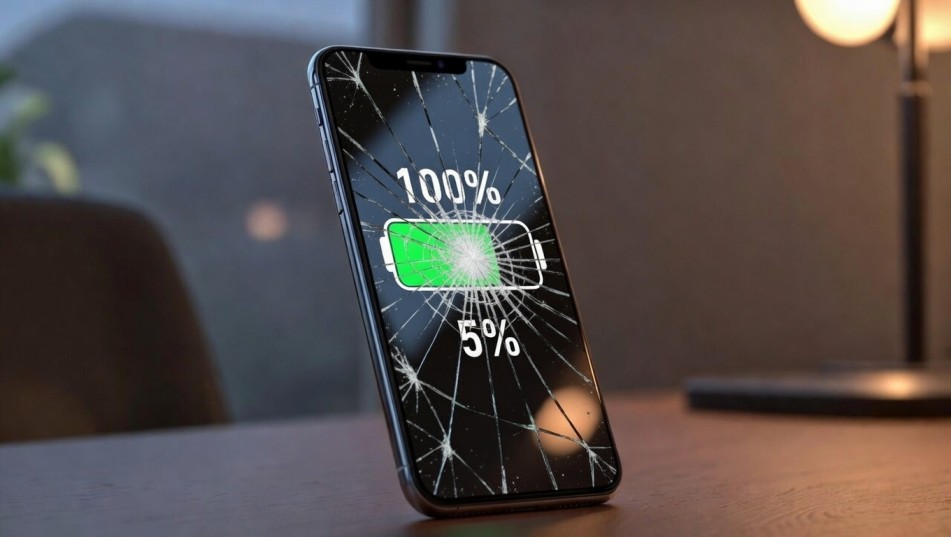
Why Is My Battery Draining So Fast? The Ultimate 2026 Fix Guide
If you’ve been asking yourself, “why is my battery draining so fast?” — you’re not alone.
A smartphone with poor battery life feels like a sports car running on fumes. It may look powerful, but it won’t get you far. Whether you’re using an iPhone or Android device, sudden battery drain is one of the most common and frustrating tech issues in 2026.
The good news? Battery drain is rarely random. There’s always a reason — and almost always a fix.
In this deep-dive guide, we’ll break down exactly why your battery is draining so fast, what’s happening behind the scenes, and the precise steps to restore long-lasting performance.
Why Is My Battery Draining So Fast? Understanding the Core Causes
Pro Insight: Battery drain is rarely caused by a single issue. It’s typically a combination of software behavior, hardware wear, and usage habits.
Modern smartphones are essentially pocket computers. They constantly sync data, refresh apps, maintain network connections, and track location. Each of these actions consumes energy — even when your screen is off.
Let’s dissect the most common causes.
Background Apps: The Silent Energy Thieves
Thesis: If you don’t control background activity, your phone controls your battery.
Many apps continue running even after you close them. Social media, messaging apps, cloud storage, and email clients constantly refresh in the background.
On Android devices, you can check this via Battery Usage in settings. On iPhones, visit Settings → Battery to see which apps consume the most power.
Why This Happens
Apps request background privileges for:
-
Push notifications
-
Location updates
-
Auto-sync
-
Background data refresh
Some poorly optimized apps continue pinging servers every few seconds.
Fix It
-
Disable background app refresh for non-essential apps.
-
Restrict background data usage.
-
Uninstall rarely used apps.
-
Force-stop apps that behave abnormally.
If one app consumes 20–30% battery in a few hours, it’s the likely culprit.
Screen Brightness & High Refresh Rate: The Obvious but Overlooked Drain
Thesis: Your display is the single biggest battery consumer.
Modern OLED and AMOLED displays are beautiful — but expensive in energy terms.
High brightness + 120Hz refresh rate = rapid battery drop.
Why This Matters
Your screen can consume up to 50% of total battery power during active use. If you’re streaming videos, gaming, or scrolling social media, the drain accelerates dramatically.
Fix It
-
Enable adaptive brightness.
-
Reduce refresh rate from 120Hz to 60Hz when not gaming.
-
Turn off Always-On Display if unnecessary.
-
Use dark mode on OLED screens.
Even small changes here can add 1–2 extra hours of usage.
5G & Weak Signal: Connectivity Drain Explained
Pro Insight: Weak signal strength forces your phone to “work harder,” increasing power consumption.
If you live in an area with unstable cellular coverage, your phone constantly searches for a stronger signal. That search process drains battery rapidly.
5G is particularly power-hungry compared to LTE.
Why Is My Battery Draining So Fast on 5G?
Because 5G modems consume more power, especially when switching between bands.
Fix It
-
Switch to LTE if 5G isn’t necessary.
-
Enable Airplane Mode in low-signal areas.
-
Use Wi-Fi when available.
-
Disable Bluetooth and Wi-Fi scanning when unused.
According to multiple telecom hardware tests reported by major tech outlets, 5G can increase standby battery drain by up to 20–30%.
Software Updates & Bugs: The Hidden Battery Glitch
Thesis: Not all updates are optimized on day one.
After major OS updates, many users report rapid battery drain. This often happens because:
-
Background indexing runs temporarily.
-
Apps are re-optimized.
-
Some apps become incompatible.
Both iOS and Android ecosystems have experienced update-related drain issues in past releases.
Fix It
-
Wait 48–72 hours after update for stabilization.
-
Update all apps immediately.
-
Restart your phone.
-
Reset settings if drain persists.
If the issue continues beyond a week, it may require a patch update.
Battery Health Degradation: The Aging Reality
Pro Insight: Lithium-ion batteries degrade with every charge cycle.
If your phone is over 2–3 years old, battery degradation is likely.
According to battery health standards referenced by major manufacturers, most lithium-ion batteries retain about 80% capacity after 500 full charge cycles.
Signs of Battery Aging
-
Battery drops from 40% to 10% quickly.
-
Phone shuts down unexpectedly.
-
Battery percentage fluctuates.
Fix It
-
Check battery health (available on many devices).
-
Replace battery if health is below 80%.
-
Avoid charging to 100% constantly.
-
Keep battery between 20–80% for longevity.
Battery replacement is often cheaper than buying a new phone.
Location Services & GPS: Constant Tracking Costs Power
Thesis: Real-time location tracking is energy-intensive.
Navigation apps, weather widgets, and social media check location frequently.
Fix It
-
Set location permission to “While Using App.”
-
Disable precise location for non-essential apps.
-
Turn off location history.
These adjustments can noticeably reduce background drain.
Malware & Rogue Apps: Rare but Serious
Pro Insight: Excessive battery drain can signal malicious activity.
If your phone heats up even when idle, or data usage spikes unexpectedly, a rogue app may be running hidden processes.
Fix It
-
Scan device using built-in security tools.
-
Remove recently installed suspicious apps.
-
Factory reset if necessary (last resort).
Charging Habits That Cause Long-Term Drain
Thesis: How you charge affects long-term battery performance.
Fast charging generates heat. Heat accelerates battery wear.
Best Practices
-
Avoid overnight charging when possible.
-
Remove case while charging if overheating.
-
Use original chargers.
-
Avoid extreme temperatures.
Heat is the real enemy of battery longevity.
How to Diagnose: Step-by-Step Battery Audit
If you’re still wondering, why is my battery draining so fast? — here’s a systematic audit:
1: Check Battery Usage Stats
Identify top-consuming apps.
2: Observe Screen-On Time
High screen time = natural drain.
3: Monitor Idle Drain
Lose more than 5% overnight? Something’s running.
4: Check Battery Health
Below 80%? Consider replacement.
5: Test in Safe Mode
If drain disappears, a third-party app is responsible.
This process eliminates guesswork.
Advanced Fixes for Persistent Battery Drain
For power users:
-
Perform a full factory reset.
-
Calibrate battery (rarely needed but helpful occasionally).
-
Disable unnecessary animations.
-
Limit widgets.
-
Turn off auto-sync for secondary accounts.
These tweaks can restore near-original performance.
When to Replace Your Phone
If your device:
-
Is over 4 years old
-
Has poor battery health
-
Lacks software support
-
Overheats frequently
It may be time for an upgrade.
However, battery replacement remains the most cost-effective solution in most cases.
Frequently Asked Questions (FAQ)
1. Why is my battery draining so fast even when I’m not using my phone?
Expert Insight: Idle drain usually signals background activity, not hardware failure.
If your phone loses more than 5–10% overnight, background apps, poor signal strength, or system indexing after an update are likely responsible. Check battery usage statistics and restrict background app refresh.
Weak cellular signals can also increase passive drain because the device constantly searches for a stronger connection.
2. Why is my battery draining so fast after a software update?
Pro Insight: Temporary post-update processes often mimic battery problems.
After major iOS or Android updates, the system may re-index files, optimize apps, and rebuild caches. This can increase battery consumption for 24–72 hours.
If the issue continues beyond a week, check for app updates or system patches.
3. Why is my battery draining so fast on Android compared to iPhone?
Battery drain differences usually stem from:
-
App optimization quality
-
Background process control
-
Manufacturer software customization
-
Battery capacity differences
Android devices offer more customization, but poorly optimized apps can increase drain. Properly managing permissions and background activity solves most cases.
4. Why is my battery draining so fast on 5G?
5G connectivity consumes more power than LTE, especially in weak coverage areas.
Your phone may switch between bands frequently, increasing modem workload. Switching to LTE in low-signal zones can significantly improve battery life.
5. Why is my battery draining so fast while charging?
If your battery drops while charging, it may indicate:
-
Overheating
-
A faulty charger or cable
-
Power-hungry apps running simultaneously
-
Battery degradation
Use original charging accessories and avoid gaming while charging.
6. Why is my battery draining so fast even after replacing it?
If a new battery doesn’t fix the issue, the problem is likely software-related.
Background apps, malware, display settings, or connectivity strain are more common causes than hardware failure. Perform a full battery audit before assuming defects.
7. At what battery health percentage should I replace my battery?
Most manufacturers recommend replacement when battery health drops below 80%.
At that point, you may notice rapid percentage drops, overheating, or unexpected shutdowns.
8. Can fast charging cause battery drain?
Fast charging doesn’t cause immediate drain, but repeated heat exposure accelerates long-term battery wear.
To preserve battery health:
-
Avoid charging to 100% daily
-
Keep battery between 20–80%
-
Prevent overheating during charging
Why Is My Battery Draining So Fast — and What You Should Do Now
If you’ve been frustrated asking, why is my battery draining so fast? — the answer is rarely mysterious.
It’s usually a combination of:
-
Background app activity
-
Screen settings
-
Connectivity strain
-
Software glitches
-
Natural battery aging
The solution isn’t one magic switch. It’s a structured optimization strategy.
Start with battery usage stats. Optimize display settings. Restrict background apps. Monitor battery health. Replace aging batteries when necessary.
With the right adjustments, you can extend daily battery life by 20–40% — without buying a new phone.
And in a world where your phone is your office, camera, wallet, and communication hub — battery stability is productivity.