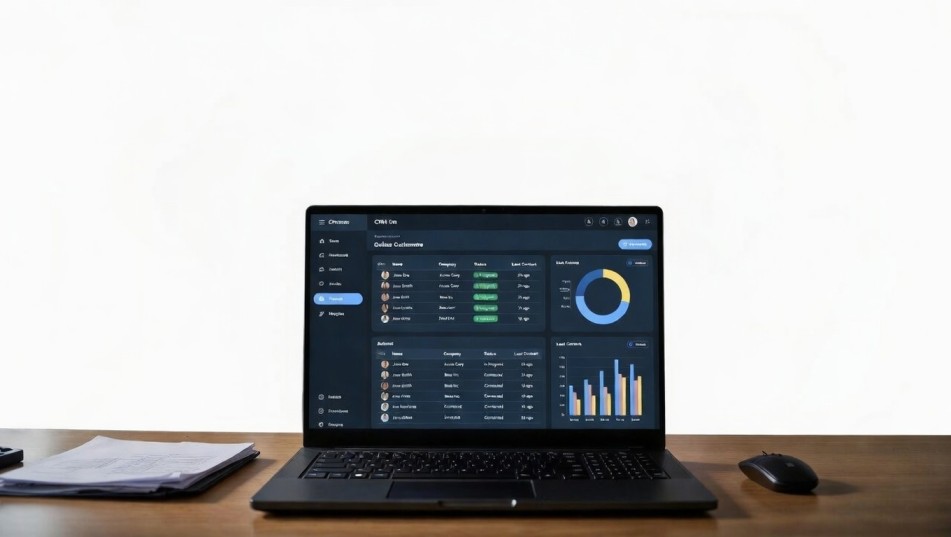
Best CRM for Small Business Under $50: Affordable Solutions That Scale
Small businesses often face a dilemma: how to implement professional customer relationship management (CRM) without breaking the budget. While enterprise CRMs offer comprehensive tools, many small business owners need efficiency, automation, and analytics without paying hundreds of dollars per month. Choosing the best CRM for small business under $50 requires balancing features, scalability, and cost-effectiveness.
Here’s a step-by-step guide to selecting the right CRM that empowers small teams to grow smarter, faster, and more efficiently.
Why Small Businesses Need a CRM
A small business requires CRM (Customer Relationship Management) software because it centralizes and organizes all customer-related activities, which is essential even for a lean team. Without a CRM, customer information is often scattered across spreadsheets, emails, or individual employee notes, making it difficult to track interactions or maintain consistency. A CRM consolidates contact details, communication history, and purchase records, ensuring every team member has access to accurate, up-to-date information. Beyond organization, CRM software improves customer relationships by tracking interactions, automating timely follow-ups, and enabling personalized communication, which enhances customer satisfaction and loyalty. It also streamlines sales and marketing by providing tools for pipeline management, deal tracking, and automation, allowing small businesses to manage leads efficiently, monitor deal progress, and nurture prospects with minimal manual effort. Additionally, a CRM provides valuable insights from data, such as identifying top-performing products, evaluating marketing campaign effectiveness, and monitoring team productivity, enabling data-driven decision-making. Finally, as a small business grows, manual tracking becomes unsustainable, and a CRM ensures scalable operations, maintaining efficiency without increasing administrative workload. Investing in a CRM early—even under $50 per month—sets a small business up for organized growth, better customer retention, and a competitive edge.
Tip: Even at a budget under $50, a CRM can automate lead capture, track deals, and provide analytics that inform smarter decision-making.
-
Efficiency: Automate repetitive tasks like follow-up emails and reminders.
-
Visibility: Track all client interactions in one place.
-
Growth Insights: Identify bottlenecks in sales and marketing.
A small business without a CRM risks losing leads, mismanaging customer data, and limiting growth potential.
Core Features to Look For in a CRM Under $50
When evaluating CRMs in the sub-$50 range, focus on three pillars:
1. Contact & Lead Management
A robust CRM stores and organizes client data efficiently. Key features include:
-
Segmentation of contacts by type, location, or engagement.
-
Easy import/export of data from spreadsheets or other tools.
-
Automatic lead capture from forms, emails, or website chat.
2. Sales Pipeline & Deal Tracking
Track your sales process clearly:
-
Visual pipelines showing each deal stage.
-
Reminders and notifications to follow up with prospects.
-
Reporting dashboards for performance monitoring.
3. Integrations & Automation
Even small businesses need automation to scale efficiently:
-
Email integration (Gmail, Outlook) for seamless communication.
-
Calendar syncing for appointment management.
-
Third-party app integrations (e.g., Zapier, Slack, QuickBooks).
Pro Tip: A CRM without integrations can increase manual work and reduce ROI, even if it’s cheap.
Top CRMs Under $50 for Small Businesses
After evaluating hundreds of options, these CRMs provide the best balance of features, affordability, and scalability.
1. HubSpot CRM Free / Starter Plans
-
Pricing: Free up to 1M contacts, Starter at $45/month.
-
Strengths: User-friendly, robust marketing tools, scalable.
-
Weaknesses: Advanced automation limited in Starter plan.
-
Why It’s Great: Offers a free plan for essential CRM functions, allowing small businesses to grow without immediate costs.
2. Zoho CRM Standard
-
Pricing: $14/month per user (Standard), under $50 for small teams.
-
Strengths: Customizable modules, automation, workflow rules.
-
Weaknesses: Learning curve for advanced features.
-
Best For: Businesses needing scalable automation without overspending.
3. Pipedrive Essential
-
Pricing: $14.90/month per user.
-
Strengths: Highly visual sales pipelines, mobile-friendly, simple setup.
-
Weaknesses: Limited marketing automation.
-
Best For: Sales-driven small businesses looking for a clear, visual approach.
4. Agile CRM
-
Pricing: $8.99/month per user (Starter), $29.99/month (Regular).
-
Strengths: Email tracking, landing pages, gamification features.
-
Weaknesses: UI can feel outdated.
-
Best For: Small teams needing combined sales, marketing, and service features affordably.
5. Freshsales (Freshworks CRM)
-
Pricing: $15/month per user (Growth).
-
Strengths: AI-based lead scoring, sales sequences, in-app calling.
-
Weaknesses: Some features restricted to higher-tier plans.
-
Best For: Teams prioritizing intelligent automation and AI assistance.
How to Choose the Right CRM for Your Business
1: Assess Your Business Needs
-
Define your sales process, lead sources, and reporting requirements.
-
Estimate the number of users to calculate cost under $50/month.
2: Test Before You Commit
-
Most providers offer free trials; leverage these to explore features.
-
Evaluate user experience, mobile access, and integration ease.
3: Focus on Scalability
-
Even under $50, your CRM should handle growth in contacts and deals.
-
Look for automation and API integration to minimize manual work as you expand.
4: Check Customer Support & Documentation
-
Budget CRMs often skimp on support; ensure reliable help is available.
-
Look for tutorials, community forums, and knowledge bases.
Best Practices for Using a Budget CRM Effectively
-
Centralize All Data: Avoid silos; keep contacts, emails, and deals in one place.
-
Automate Repetitive Tasks: Use templates, sequences, and triggers.
-
Regularly Update Data: Ensure contact info and deal stages are current.
-
Leverage Reporting: Use dashboards to monitor KPIs like lead conversion and sales velocity.
Frequently Asked Questions (FAQ)
1. What is the best CRM for small business under $50?
Several options excel in affordability and functionality, including HubSpot Starter, Zoho CRM Standard, Pipedrive Essential, Agile CRM, and Freshsales Growth. The best choice depends on your team size, workflow, and integration needs.
2. Can a CRM under $50 really support growing businesses?
Yes. Many CRMs in this price range offer automation, reporting, and integrations that scale with small businesses. While enterprise-level features may be limited, budget CRMs can handle hundreds to thousands of contacts efficiently.
3. Are free CRM plans enough for small businesses?
Free plans, like HubSpot’s free tier, provide basic contact management, deal tracking, and limited automation. They’re ideal for startups but may require upgrading as your business grows.
4. Which CRM is easiest to use for small teams?
Pipedrive is highly visual and intuitive, making it ideal for small teams with minimal technical expertise. HubSpot is also beginner-friendly with excellent onboarding resources.
5. What features should I prioritize in a CRM under $50?
Focus on:
-
Contact and lead management
-
Sales pipeline visualization
-
Automation for follow-ups and tasks
-
Reporting dashboards and analytics
-
Integration with email, calendar, and third-party apps
6. Can I integrate these affordable CRMs with other business tools?
Yes. Most budget CRMs offer integrations with email clients (Gmail, Outlook), accounting software, and marketing tools. Some also support Zapier for custom workflows.
7. How do I choose the right CRM for my business?
Evaluate your business needs, number of users, workflow complexity, and budget. Test multiple CRMs via free trials to see which interface and features align best with your operations.
Affordable CRMs Can Drive Real Growth
Selecting the best CRM for small business under $50 is about prioritizing value over bells and whistles. With options like HubSpot, Zoho, and Pipedrive, small businesses can automate workflows, centralize client data, and make data-driven decisions without a heavy monthly fee.
Investing wisely in a CRM, even on a budget, lays the foundation for professional growth, customer satisfaction, and long-term scalability.
Expert Insight: A budget-friendly CRM is not just cost-saving—it’s a growth enabler. Choosing one thoughtfully can transform your small business into a competitive, data-driven operation.