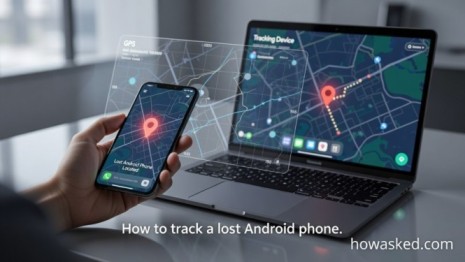
How to Track a Lost Android Phone: Ultimate Guide for 2026
How to track a lost Android phone is a question every Android user must know. Losing your phone is stressful, but with the right steps, you can quickly locate it, secure your personal data, and even remotely erase it if needed. This guide covers official methods, third-party apps, and preventive measures to ensure you never permanently lose access to your device.
Why You Need to Track a Lost Android Phone Immediately
When you lose an Android phone, every minute counts. Personal photos, passwords, banking apps, and sensitive data can be at risk. Knowing how to track a lost Android phone immediately ensures you regain control before unauthorized access occurs. Enabling Google’s “Find My Device” and proper account settings improves recovery chances.
Pro Tip: Combine tracking apps with strong lock-screen security for maximum protection.
Google Find My Device: Official Android Tracking
The first and most reliable method is Google Find My Device. This is an official service for Android phones connected to a Google account.
1: Access Find My Device
-
Go to Google Find My Device on any browser.
-
Sign in with the Google account linked to your lost phone.
2: Locate Your Android Phone
-
Google will attempt to locate the phone using GPS and Wi-Fi.
-
A map shows the phone’s real-time location. Accuracy depends on connectivity.
3: Ring, Lock, or Erase
-
Ring: Make the phone play a sound even if silent.
-
Lock: Set a temporary password and display a recovery message.
-
Erase: Permanently delete all data if recovery is impossible.
Pro Tip: Always lock before erasing. Once erased, tracking stops.
Internal Link: For more Android tips, see our Mobile & Apps Guides.
Samsung Find My Mobile (Samsung Devices Only)
Samsung users can track their devices using Find My Mobile, which offers advanced features like remote unlocking and backups.
Steps:
-
Log in at Samsung Find My Mobile.
-
Select your lost device.
-
Choose Locate, Ring, Lock, Erase, or Retrieve Calls/SMS.
Pro Tip: Works even if the phone isn’t connected to Wi-Fi, but must have mobile data.
Internal Link: Learn more in our Technology How-To Guides.
Third-Party Tracking Apps
If official services fail, third-party apps can help. Popular options:
-
Prey Anti-Theft: Device location, SIM alerts, and snapshots.
-
Cerberus: Remote control via SMS, GPS, and camera.
-
Family Locator Apps: Real-time tracking and geofencing.
Pro Tip: Install tracking apps before losing your phone, and allow background GPS permissions.
Internal Link: Check our How-To Tutorials for app setup guides.
Carrier & IMEI Tracking
If all else fails:
-
Contact your carrier immediately. Provide your IMEI number.
-
Some carriers use network triangulation to locate devices.
-
They can suspend service to prevent misuse.
Pro Tip: Keep a record of your phone’s IMEI in a secure location for emergencies.
Preventive Measures to Avoid Losing Your Android Phone
-
Enable Location Services & Find My Device
-
Use Screen Locks and Biometrics
-
Back Up Data Regularly to Google Drive
-
Install Trusted Tracking Apps
-
Keep SIM and IMEI Info Secure
Pro Tip: Regularly review your Android security settings to reduce risk.
FAQs
Q1: Can a turned-off Android phone be tracked?
Only the last known location is visible. Some Samsung devices allow offline location via nearby devices.
Q2: Is it legal to track someone else’s phone?
No, tracking without consent is illegal. Always track your own device.
Q3: How accurate is GPS tracking?
Typically within 5–20 meters depending on environment and connectivity.
Q4: What if my phone’s battery dies?
Track the last known location. Enable alerts for when the device reconnects.
Knowing how to track a lost Android phone saves time, secures your data, and prevents unauthorized access. Google Find My Device, Samsung Find My Mobile, third-party apps, and carrier support provide multiple recovery paths. Combine these with preventive security measures to protect your device and digital life effectively.