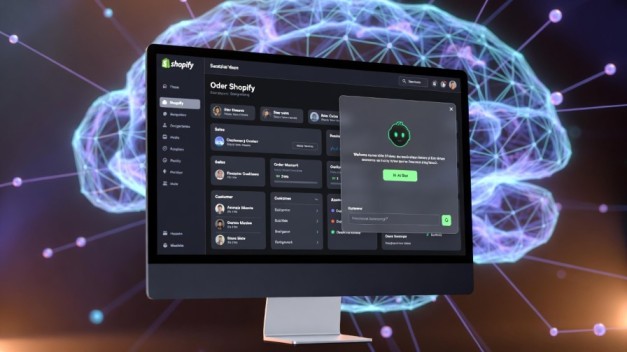
How to Create AI Chatbot for Shopify Store: The Complete 2026 Expert Blueprint
The modern Shopify store is no longer just a digital shelf. It is a dynamic, 24/7 sales engine. And at the heart of that engine sits automation.
If you’re wondering how to create AI chatbot for Shopify store, you’re not alone. Merchants across the globe are racing to integrate AI-driven conversational commerce into their storefronts. The reason is simple: customers expect instant answers, personalized recommendations, and frictionless support.
An AI chatbot transforms your store from reactive to proactive. It guides shoppers, reduces cart abandonment, answers FAQs, and even increases average order value. In this deep-dive guide, you’ll learn not just the “how,” but the strategic “why” behind building a high-performing AI chatbot for your Shopify store.
Why You Need to Create AI Chatbot for Shopify Store in 2026
Before jumping into setup, let’s establish something critical: AI chatbots are no longer optional.
AI Chatbots Are Your 24/7 Sales Representatives
Unlike human support agents, AI bots don’t sleep, take breaks, or miss inquiries. According to reports from Gartner, conversational AI adoption in eCommerce continues to rise because it directly impacts customer satisfaction and operational efficiency.
An AI chatbot for Shopify store can:
-
Answer product questions instantly
-
Recommend items based on browsing behavior
-
Provide shipping timelines
-
Handle refund or return queries
-
Capture emails and leads
In short, it removes friction from the buying process.
Conversion Optimization Through Personalization
Think of your chatbot as a digital sales associate in a high-end retail store. It doesn’t just answer questions—it suggests complementary products.
With AI-powered recommendation logic, you can:
-
Suggest bundles
-
Offer limited-time discounts
-
Trigger exit-intent messages
-
Recover abandoned carts
This turns passive browsing into active buying.
Understanding the Core Architecture of an AI Chatbot
Before you create AI chatbot for Shopify store, you must understand what powers it.
The Three Core Components
-
User Interface (Chat Widget)
The visible chat bubble embedded on your store. -
Natural Language Processing (NLP) Engine
Powered by models from companies like OpenAI. -
Shopify API Integration
Connects chatbot to product data, orders, and customer information via Shopify Admin API.
Understanding this structure helps you choose between no-code tools and custom builds.
How to Create AI Chatbot for Shopify Store (Step-by-Step)
There are two primary methods:
-
No-code app integration (fastest)
-
Custom AI chatbot development (most flexible)
Let’s explore both.
Method 1: Use a Shopify AI Chatbot App (No-Code Approach)
If you want speed and simplicity, this is your path.
1: Choose the Right AI Chatbot App
Popular Shopify-compatible chatbot platforms include:
Each offers:
-
AI automation
-
Shopify product sync
-
Messenger or WhatsApp integration
-
Order tracking workflows
Pro Tip: Choose a tool that supports AI learning models, not just rule-based automation.
Step 2: Install from Shopify App Store
-
Go to Shopify Admin Dashboard
-
Click “Apps”
-
Visit Shopify App Store
-
Install your selected chatbot app
Once installed, it automatically embeds a chat widget.
Step 3: Connect Store Data
Authorize access to:
-
Products
-
Orders
-
Customers
This enables the chatbot to:
-
Check order status
-
Suggest related items
-
Access FAQs dynamically
Without this connection, your chatbot becomes a basic FAQ bot—not a sales engine.
Step 4: Train Your AI Chatbot
Training involves:
-
Uploading FAQs
-
Adding shipping policies
-
Defining return guidelines
-
Creating product recommendation flows
Advanced tools integrate GPT-based AI models to understand open-ended queries.
Step 5: Customize Design & Behavior
Adjust:
-
Brand colors
-
Welcome messages
-
Automated triggers
-
Exit pop-ups
Your chatbot should feel native to your store’s brand identity.
Method 2: Custom AI Chatbot for Shopify Store (Advanced Build)
If you want total control, you can build your own AI chatbot using APIs.
This approach requires developer experience.
1: Access Shopify API
Create a private or custom app inside Shopify:
-
Go to “Apps and Sales Channels”
-
Click “Develop Apps”
-
Generate API credentials
You’ll get:
-
API key
-
Access token
This allows real-time data exchange.
2: Connect with AI Model
Use API from providers like:
The chatbot sends user messages to AI, receives intelligent responses, and retrieves product/order data when needed.
3: Build the Chat Interface
Use:
-
React.js
-
Vue.js
-
Shopify Hydrogen framework
Embed chatbot via script injection or theme customization.
4: Deploy on Hosting Server
Your backend server:
-
Processes user messages
-
Queries Shopify API
-
Sends data to AI model
-
Returns final answer
This ensures scalable, secure AI interaction.
Best Use Cases When You Create AI Chatbot for Shopify Store
A chatbot is not just a support assistant. It’s a revenue multiplier.
1. Abandoned Cart Recovery
Trigger chatbot messages when users hesitate at checkout.
Offer:
-
Discount codes
-
Shipping reminders
-
Urgency messages
2. AI Product Recommendations
Using browsing behavior, suggest:
-
“You may also like”
-
Bundles
-
Cross-sells
This increases average order value.
3. Automated Order Tracking
Customers often ask one question: “Where is my order?”
Your chatbot can:
-
Request order number
-
Fetch tracking data
-
Provide real-time status
This reduces support workload dramatically.
4. Lead Capture & Email Collection
Chatbots can ask:
-
“Want 10% off your first order?”
-
Collect email
-
Sync with marketing tools
This supports long-term retention strategy.
Common Mistakes to Avoid
Even if you know how to create AI chatbot for Shopify store, poor execution can damage conversions.
Over-Automation
Do not block human access. Always offer “Talk to Support” option.
Generic Responses
Customers hate robotic replies. Use AI models that understand context.
No Analytics Tracking
Measure:
-
Chat engagement rate
-
Conversion after chat
-
FAQ usage
Most tools provide built-in analytics dashboards.
AI Chatbot and SEO: Does It Help?
Indirectly, yes.
While chatbots don’t directly improve rankings, they:
-
Increase time on site
-
Reduce bounce rate
-
Improve UX signals
Search engines favor better user experience metrics.
For deeper technical SEO tactics, explore our Technology & AI insights on howasked.com.
Cost Breakdown: What Should You Expect?
No-Code Tools
-
Free plans available
-
$20–$80/month for advanced AI features
Custom Development
-
$500–$3000+ depending on complexity
-
Ongoing API usage fees
For most small to mid-sized stores, a premium app is sufficient.
Future of AI Chatbots in Shopify Ecosystem
Shopify continues integrating AI features directly into its platform.
With AI personalization, predictive search, and automation expanding rapidly, chatbots will become more intelligent and proactive.
Expect:
-
Voice-based commerce
-
Predictive shopping assistance
-
Hyper-personalized recommendations
Early adopters will gain competitive advantage.
Frequently Asked Questions (FAQ)
Is coding required to create AI chatbot for Shopify store?
No. Many Shopify apps offer no-code chatbot builders with AI capabilities.
Can AI chatbot increase sales?
Yes. Personalized recommendations and instant support improve conversion rates and reduce cart abandonment.
Is AI chatbot expensive?
Entry-level tools are affordable. Advanced custom solutions cost more but offer deeper control.
Does Shopify offer built-in AI chatbot?
Shopify offers automation tools, but full conversational AI typically requires third-party apps or custom development.
How to Create AI Chatbot for Shopify Store the Smart Way
Learning how to create AI chatbot for Shopify store is no longer just about automation. It’s about strategic growth.
If you want speed, install a trusted Shopify app and configure it properly. If you want deep control and advanced personalization, build a custom AI chatbot using Shopify API and AI models.
Either way, the key principle remains: focus on customer experience.
An AI chatbot is not a gimmick. It’s a digital sales strategist working around the clock. Implement it thoughtfully, train it well, and monitor performance continuously.
In 2026 and beyond, conversational commerce will define eCommerce success.