How to Stop Robocalls on iPhone: The Complete Guide (2026)
Robocalls have become one of the most annoying interruptions in daily life. If you’re an iPhone user, you know how frustrating it is to receive unwanted automated calls. Fortunately, iOS provides several ways to block these calls, from built-in features to third-party apps. This guide will show you how to stop robocalls on iPhone effectively, including methods that are US-focused, carrier-specific, and app-supported. By the end, your iPhone will be much less susceptible to spam calls.
Why Robocalls Are a Problem
Robocalls are automated phone calls that deliver prerecorded messages. Many are scams, telemarketing, or survey requests. These calls can:
-
Interrupt your work or personal time
-
Lead to potential scams and phishing attempts
-
Increase stress and frustration
iPhone users, especially in the US, face these calls more often due to tier-1 mobile networks being primary targets. While Android also has spam calls, iPhone users prefer privacy-first solutions like iOS features and trusted apps.
iOS Built-in Feature: Silence Unknown Callers
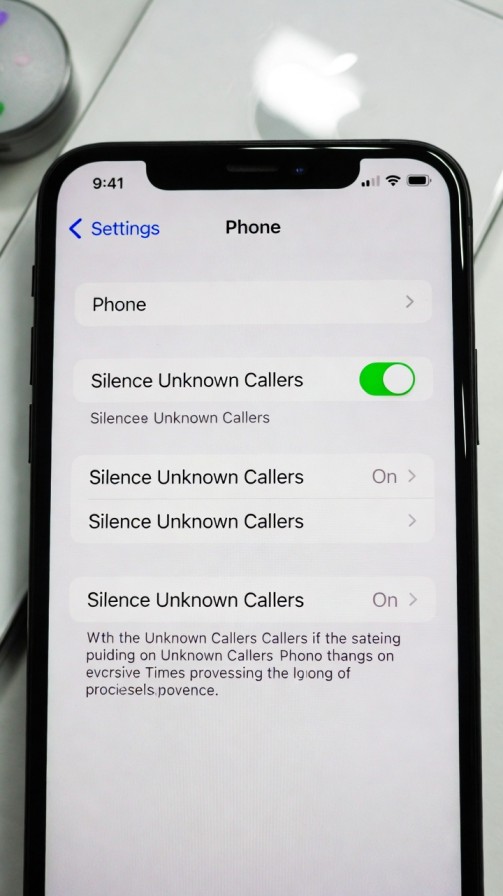
iOS includes a Silence Unknown Callers feature that sends calls from numbers not in your contacts straight to voicemail. Here’s how to enable it:
Step-by-Step Guide
-
Open Settings.
-
Scroll down to Phone.
-
Tap Silence Unknown Callers.
-
Toggle it ON.
What Happens When Enabled:
-
Calls from unknown numbers go to voicemail.
-
You still receive notifications for known contacts, recent outgoing calls, and Siri suggestions.
-
Helps reduce robocalls without third-party apps.
💡 Pro Tip: Some legitimate calls may be missed, like doctor’s offices or delivery services. Make sure your contacts are updated to prevent missing important calls.
Carrier-Level Blocking Options
Many US carriers offer additional layers of robocall protection. Using these services alongside iOS features is highly effective.
AT&T: Call Protect
-
Free basic plan: Blocks suspected spam calls.
-
Premium plan: Advanced fraud warnings and automatic blocking.
-
App: AT&T Call Protect app (iOS available).
Verizon: Call Filter
-
Free basic version: Identify spam calls and label them.
-
Paid version ($2.99/month): Automatic blocking, spam reports.
-
Integration: Works seamlessly with iOS Phone app.
T-Mobile: Scam Shield
-
Free: Scam ID and scam block features.
-
Premium: Enhanced scam block and reverse lookup.
-
Extra Tip: T-Mobile automatically blocks many known robocall numbers.
💡 Pro Tip: Always verify that your carrier’s features are up-to-date. Some older iPhones may require iOS updates for full functionality.
Call Screening Apps for iPhone
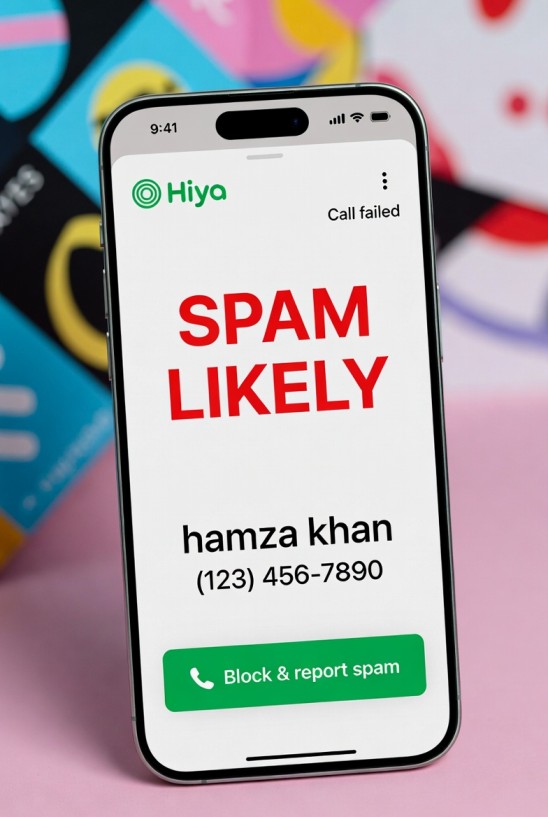
While iOS and carriers provide robust options, third-party apps give extra layers of protection.
Hiya
-
Recognizes spam and scam calls.
-
Provides caller ID for unknown numbers.
-
Allows users to report spam calls.
-
iOS integration ensures smooth operation without battery drain.
Truecaller
-
Popular worldwide with robust spam detection.
-
Can block calls automatically based on community reports.
-
Syncs with your contacts and suggests safe calls.
💡 Pro Tip: Always download apps from the official App Store to avoid privacy risks. Avoid apps that request unnecessary permissions.
Tips to Avoid Robocalls in the Future
-
Don’t answer unknown calls.
-
Never share personal information over phone calls.
-
Use multiple layers: iOS + carrier + app.
-
Register your number on the National Do Not Call list (for US users).
-
Keep iOS updated to access the latest spam protection features.
Frequently Asked Questions (FAQ)
1. Will Silence Unknown Callers block all spam calls?
No, some robocalls may still appear if they spoof numbers from your contacts or recent calls. Combining iOS features with apps improves protection.
2. Are call screening apps safe for iPhone?
Yes, apps like Hiya and Truecaller are trusted by millions. Always download from the App Store and read permissions carefully.
3. Can carriers automatically block robocalls?
Yes, major US carriers like AT&T, Verizon, and T-Mobile offer automatic spam blocking services, but features may vary by plan.
4. Will these methods affect legitimate calls?
Possibly. Some unknown but important numbers may go to voicemail. Keeping contacts updated helps minimize missed calls.
5. Is it necessary to use multiple layers of protection?
Yes. Robocallers constantly adapt. Using iOS, carrier features, and apps together ensures maximum safety.
Robocalls are a persistent nuisance, but iPhone users have multiple tools at their disposal. From iOS’s Silence Unknown Callers to carrier services and trusted apps, you can drastically reduce spam calls. Remember, a combination approach works best, keeping your phone safe, private, and stress-free.
By following these steps, iPhone users in the US can enjoy a cleaner calling experience and focus on what truly matters, without interruptions from unwanted robocalls.